We have an event calendar here on Discourse.
It’ll show any events created in categories you have access to.
To create an event:
- Create a new topic (or edit the first post of an existing topic).
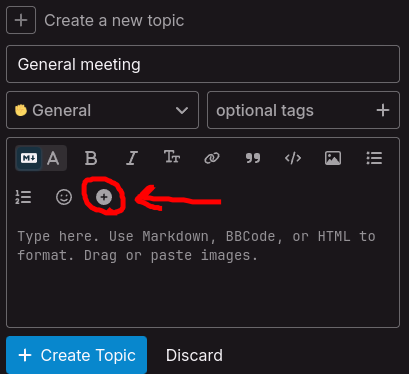
- In the post composer, click on the
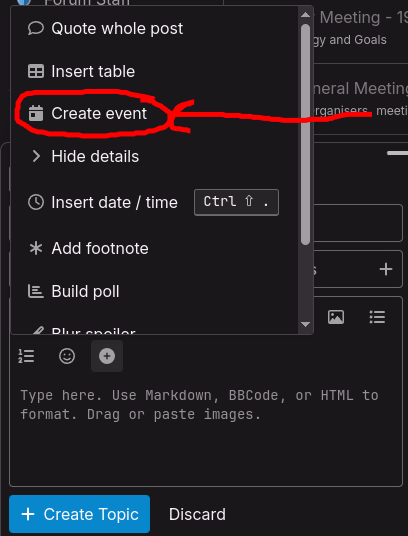
 symbol in the toolbar - and select Create Event. (See pictures below)
 - Fill in the event details and click Create.
And all done. Make sure to write something about the event in the topic post!
On the events calendar, your event will be colour-coded according to the category you posted it in. You also might want to tag your event topic with the meetings tag so it will show up when people filter topics with that tag.